
 Login with Infoxchange
 Login with TechSoup New Zealand
 Login with DigitalTransformation.NGO
 Login with Cyber Safe Hub
등록 조건
Topics:
Staff Training
Artificial Intelligence
설명
발표자 소개
ChatGPT for Not-for-Profits
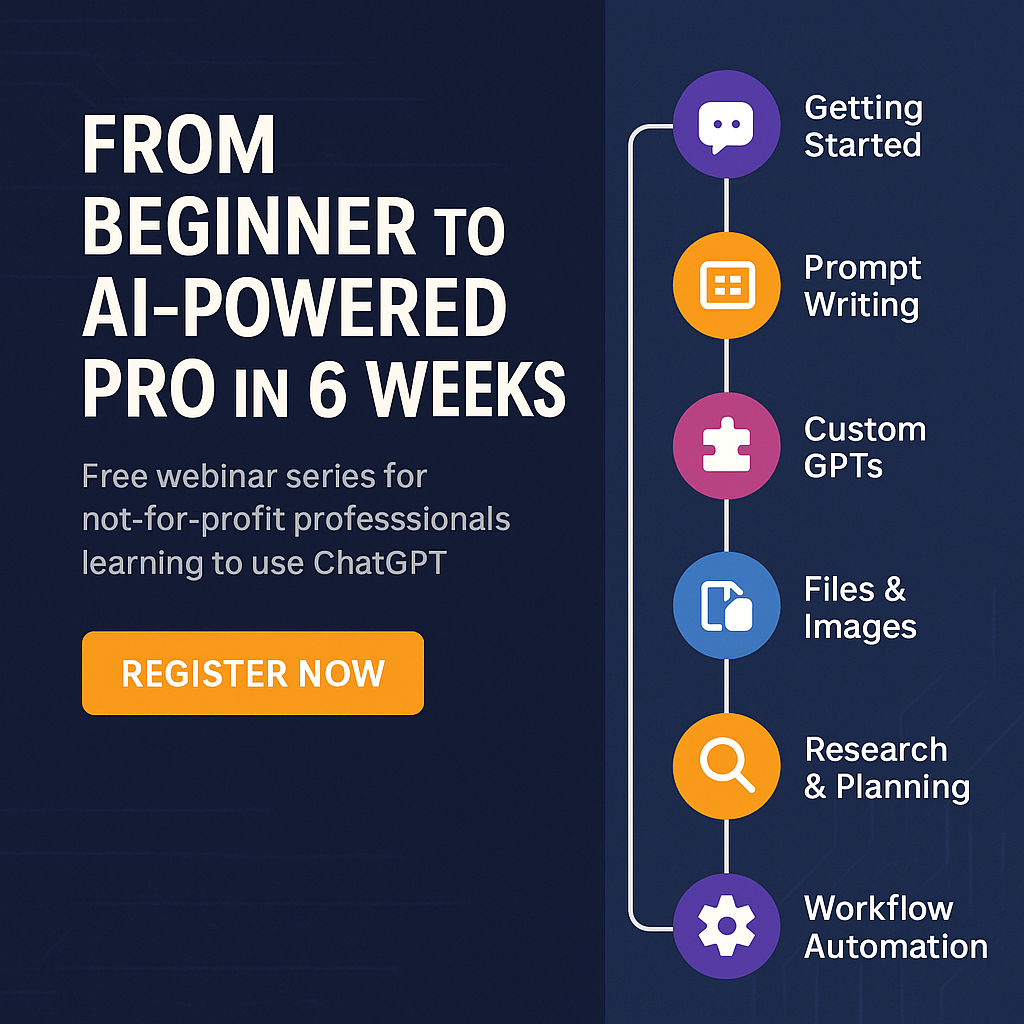
This free six-part webinar series is designed to help not-for-profit professionals use ChatGPT confidently and ethically in their daily work. Whether you're brand new to AI or ready to explore advanced features, you’ll learn practical ways to improve efficiency, communication, and impact across your organisation.
Each session runs for 60 minutes and includes hands-on demonstrations, Q&A time, and practical use cases tailored to the not-for-profit sector.
Session 1: ChatGPT Free vs Paid – What’s the Difference?
Explore what ChatGPT can do and decide if the free or paid version is right for your needs. You’ll get a live walkthrough of the platform, learn to adjust settings, and see a quick demo of ChatGPT in action—from drafting emails to analysing your website content.
Session 2: Chatting with AI – Models, Prompting & Canvas
Get better responses from ChatGPT by learning how to talk to it. This session shows you how to write clear, effective prompts, use role-based instructions, and guide AI through multi-step tasks. You’ll also be introduced to the Canvas tool for drafting reports and proposals.
Session 3: Custom GPTs – Build Your Own AI Assistants
Learn how to create custom AI assistants tailored to your not-for-profit. No coding needed. You’ll see how to build a GPT that understands your mission, tone, and key documents—then share it with your team to streamline tasks like policy writing or donor communication.
Session 4: Vision, Files, Images, Voice & AI Safety
Discover ChatGPT’s multimedia capabilities. You’ll practise uploading images and documents, generating visuals, and using voice mode. Plus, we’ll cover essential guidance on AI safety—like managing data privacy and reducing the risk of bias or misinformation.
Session 5: Web Search, Deep Research & Task Automation
Find out how to use ChatGPT’s web browsing tools for real-time research, content repurposing, and project planning. You’ll learn to identify grant opportunities, summarise articles, and create outreach materials in minutes—not hours.
Session 6: Customising the Experience – Memory & Workflows
Configure ChatGPT to work the way you do. This session covers memory settings, custom instructions, and building efficient workflows. You’ll wrap up by planning a full fundraising campaign using ChatGPT—complete with messaging, visuals, and timelines.
It is recommended you have a paid ChatGPT subscription for this program.
이 과정은 참가자가 다음 내용을 익히도록 설계되었습니다:
- Understand the core features of ChatGPT and choose the right version for your needs
- Write effective prompts to generate accurate, relevant responses
- Create and use custom AI tools to support common not-for-profit tasks
- Apply ChatGPT safely and ethically to improve productivity and communication
*이 과정에 등록함으로써 귀하는 이 과정에 대한 이메일 알림 수신에 동의하게 됩니다. 또한 개인정보 처리방침에 따라 다른 과정에 대한 안내도 받게 됩니다. 원하지 않는 경우 언제든지 수신 거부할 수 있습니다.
강의 자료는 90일 동안 이용할 수 있으므로, 90일이 지나기 전에 필요한 자료에 꼭 접근해 주세요.
외부 과정에 등록하기 전에 가격 및 제공업체의 이용 약관을 확인하세요.
이는 주요 이용 약관의 요약이며 전체 내용은 여기에서 확인할 수 있습니다.
디지털 학습 프로그램은 Infoxchange와 후원자들의 지원으로 운영됩니다. 더 많은 유용한 자료를 비영리 부문에 제공할 수 있도록 지금 후원해 주세요.
강의 자료는 90일 동안 이용할 수 있으므로, 90일이 지나기 전에 필요한 자료에 꼭 접근해 주세요.
외부 과정에 등록하기 전에 가격 및 제공업체의 이용 약관을 확인하세요.
이는 주요 이용 약관의 요약이며 전체 내용은 여기에서 확인할 수 있습니다.
디지털 학습 프로그램은 Infoxchange와 후원자들의 지원으로 운영됩니다. 더 많은 유용한 자료를 비영리 부문에 제공할 수 있도록 지금 후원해 주세요.









Infoxchange acknowledges the Traditional Owners of the unceded lands of the Wurundjeri Woi Wurrung people of Naarm, the Kaurna people of Tarntanya, and the Turrbal and Jagera peoples of Meanjin on which we live and work. We acknowledge the importance of Country and First Nations people’s connection to it. We pay our respects to Elders past and present.
© 2026 Infoxchange
AU 74 457 506 140
All rights reserved